웹 사이트나 홈페이지에서 스크롤이 길어질 때, 상단또는 원하는 구간으로 갈 수 있는 버튼이 있습니다.
hmtl 안에서 작성할 수 있는 코드를 정리해볼게요.
<!DCOTYPE html>
<html>
	<head>
    	<title>top_button</title>

        <style>
            #btn a {
                text-decoration: none;
                color: black;
            }

            #btn {
                background-color: #00AE68;
                display: block;
                position: relative;
                float: left;
                width: 80px;
                padding: 0;
                margin: 10px 20px 10px 0;
                font-weight: 600;
                text-align: center;
                line-height: 35px;
                color: #FFF;
                border-radius: 5px;
                transition: all 0.2s ;
                box-shadow: 0px 0px 0px 0px #21825B;
            }

            #btn:hover {
                background: #21825B;
            }

        </style>
    </head>

	<body>

      <div id="1">첫 번째 섹션</div>
        <ul>
            <li>aaa</li>
            <li>bbb</li>
            <li>ccc</li>
        </ul>
      <div id="2">두 번째 섹션</div>
        <ul>
            <li>aaa</li>
            <li>bbb</li>
            <li>ccc</li>
        </ul>
      <div id="3">세 번째 섹션</div>
        <ul>
            <li>aaa</li>
            <li>bbb</li>
            <li>ccc</li>
        </ul>

      <button id="btn"><a href="#1"> 이동하기 </a></button>

    </body>
</html>
1. 원하는 섹션에 id (또는 class)를 지정합니다.
2. 버튼에 a href 링크를 이용하여, id (또는 class)를 호출합니다.
2-1. 원하는 섹션의 id를 호출하면, 버튼을 클릭시 지정한 섹션으로 이동합니다.
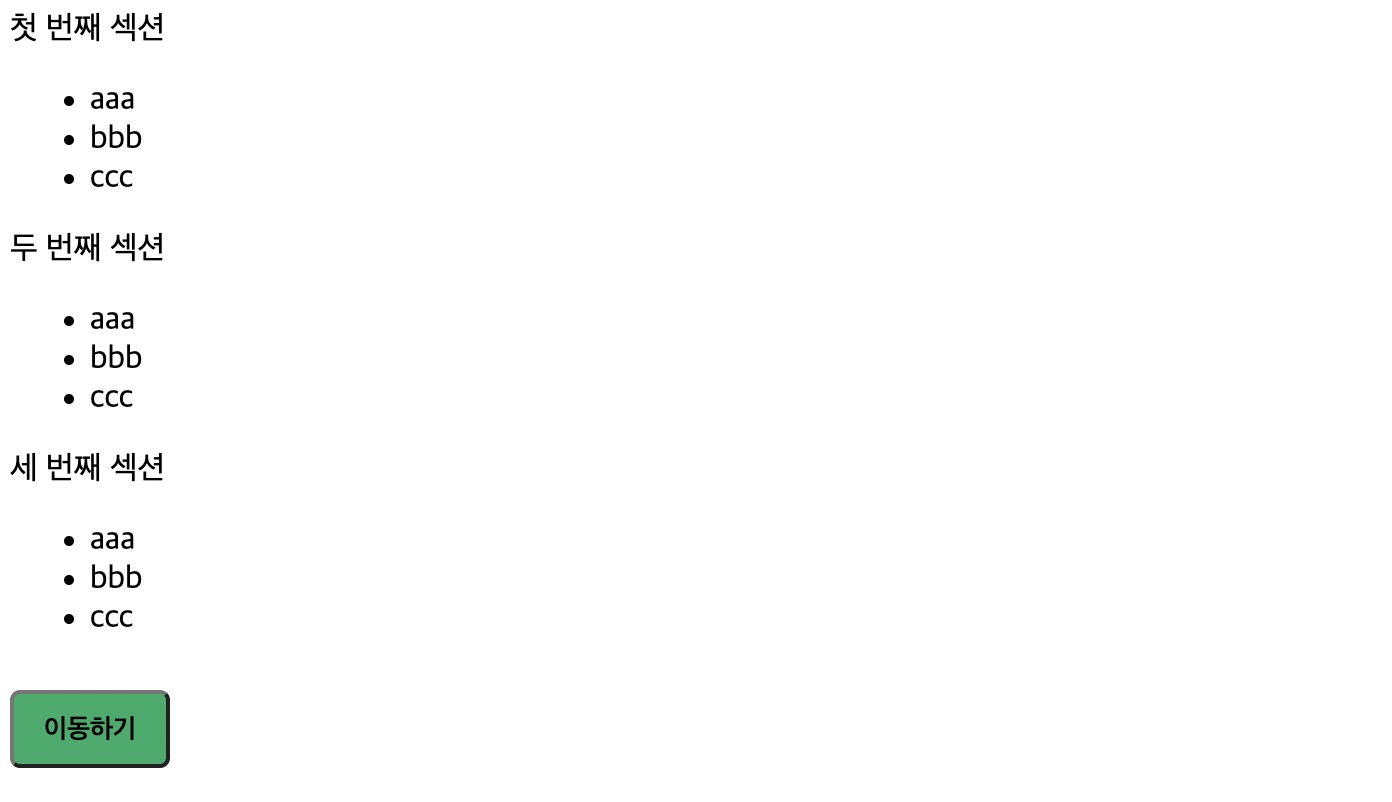
>>> 결과물
'웹 퍼블리싱 - WEB PUBLISHING' 카테고리의 다른 글
| [Git] git 기본 사용 설명 - 기본 설정부터 git push 까지 (1) | 2023.06.12 |
|---|---|
| [웹퍼블리싱] html에서 CSS 파일 분리하여 적용하기 (0) | 2023.04.08 |
| HTTP와 HTTPS의 개념과 차이점 (0) | 2023.04.03 |
| GET과 POST 차이점 (0) | 2023.03.28 |
| [웹퍼블리싱_html/css] iframe 태그 사용법 (0) | 2023.03.26 |

